
What's included
- Warning on conflicting rules
- Order by dragging
- "Run now" for time-based rules
- Agents can see the rules, admins change them
Report critical tickets at once, remind about stalled ones, close resolved tickets after 7 days: set it up once – Xendor does the rest.
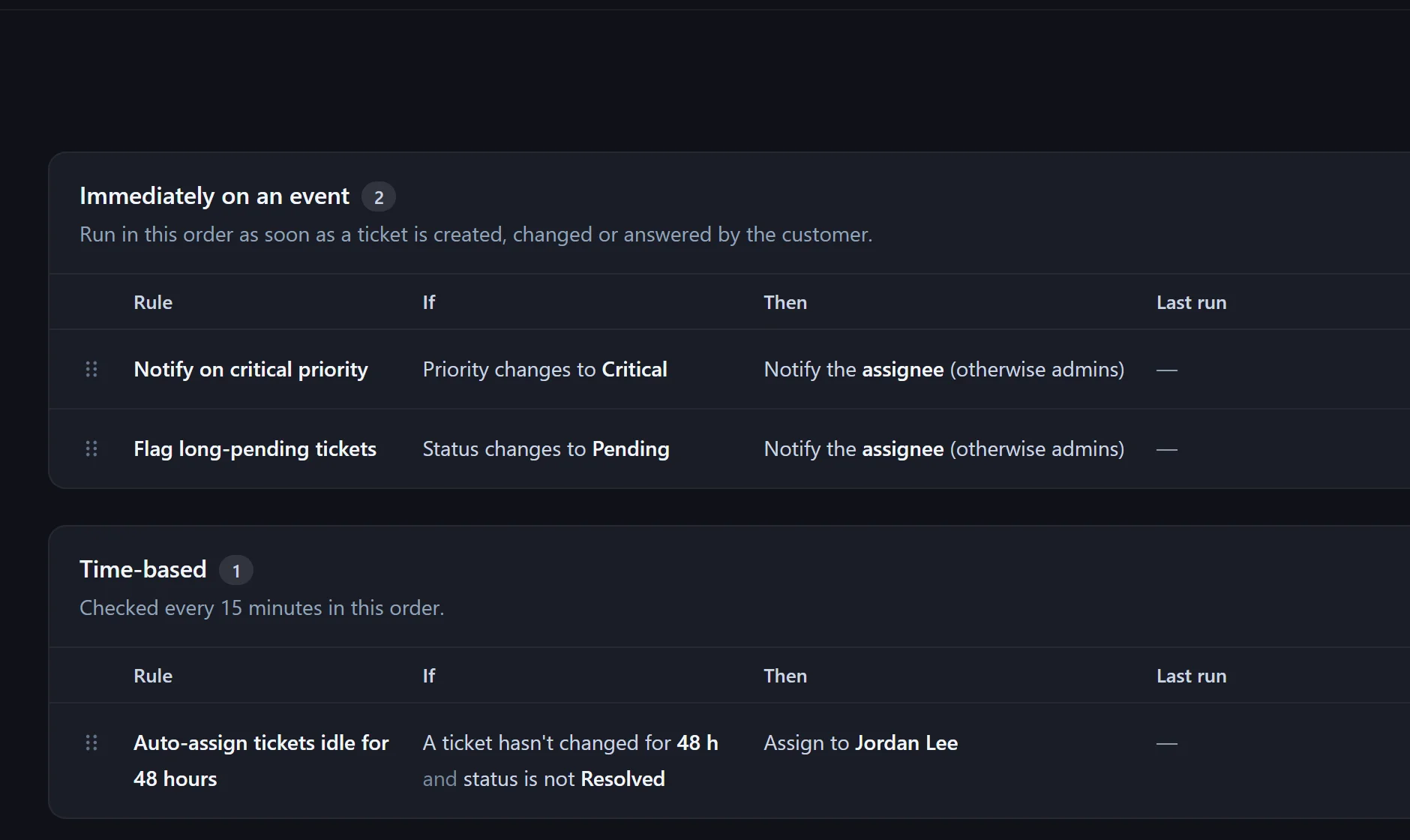
E.g. "Report critical tickets immediately", "Reminder: pending for 72 h" or "Close resolved tickets after 7 days".
"If … then …": immediately on an event or time-based every 15 minutes.
The run log shows every run of the last 30 days – what happened and why.
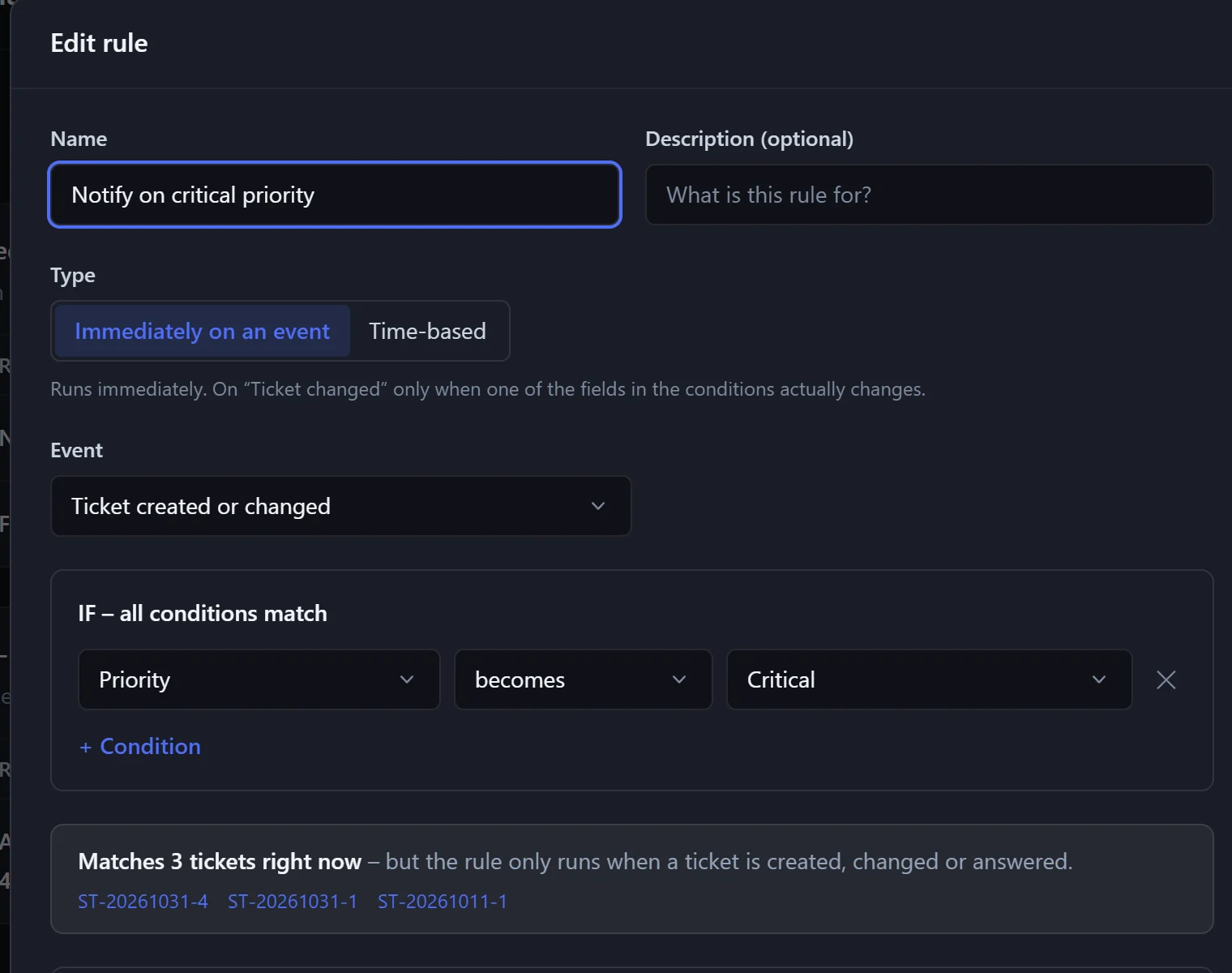
For example assign, set status or priority, and notify people or groups.
Time-based rules once per ticket – again only after the condition stopped matching in between.
No, closed and cancelled tickets are never changed.
In the pilot program: personal onboarding, then $25 (US) or €25 (EU, plus VAT) per agent per month, guaranteed for 24 months.